We have introduced a number of new features in INEXTIA that make it even easier to work efficiently with maintenance - whether you are in planning, follow-up or administration.
1. Add filters to dashboards and view exactly the data you need:
Filter your data by a specific department, job type or other relevant criteria. Clicking on an item in the dashboard will take you directly to the relevant screen so you can quickly act on your insights.
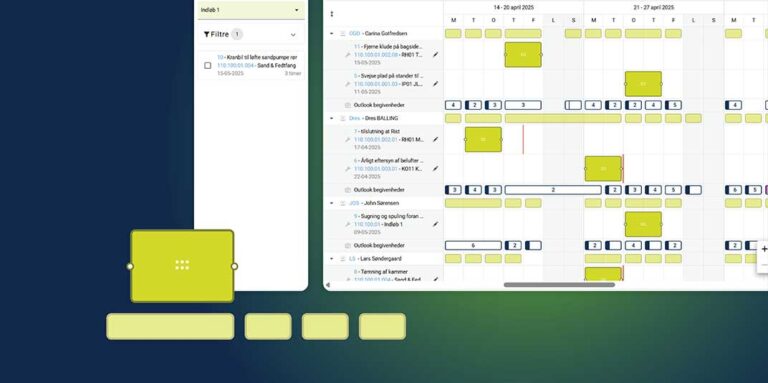
2. Get an overview of all scheduled jobs with new calendar view
This means that you can now view each employee’s calendar and get an overview of what jobs they are assigned and when they are scheduled. The calendar can be viewed both on an individual level and for teams, departments or external resources.
3. Introduce thresholds for procurement approval
You can now define who can approve a purchase order and set approval limits. The company screen also gives you an overview of who has approval rights and what limits apply to each individual.
4. Create analytics based on your forms with new template
Quickly follow up on specific data points and generate insights based on the data you’ve collected through your forms. Create an Analytics template directly in Form and create analytics based on your forms.