With the Job Sequence module, it is now possible to set up maintenance tasks to be performed in a specific order.
The Job Sequence module ensures the important connection between various inspections and maintenance tasks. This means that you have the opportunity to set up a sequence, where the date of performing an inspection can affect the next upcoming maintenance task.
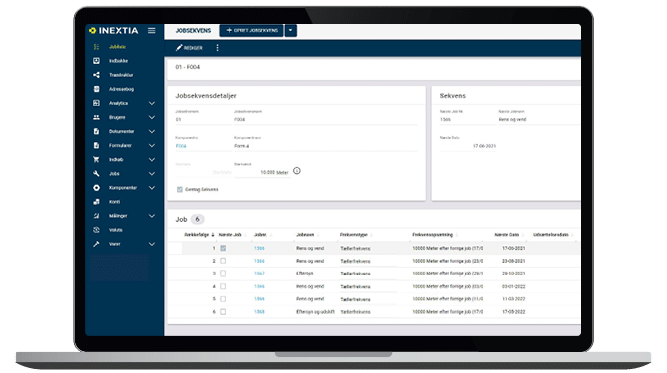
When creating a Job Sequence, you will be arranging your jobs in a specific order. This makes it possible for INEXTIA to automatically switch between a small and a larger inspection. If the same job is to be repeated multiple times before switching to another job, the same job should be added multiple times to the sequence.
Set up your jobs with various trigger types
Your job sequences can be set up with both counter and calendar triggers. This means, that you can set up your tasks to be performed 3 months or 2.000 hours after the previous task. You will also be able to choose if the sequence should be repeated, so it will start over when the last task in the sequence has been performed.
Key Features
- Set up multiple tasks in a sequence
- Use counter and calendar triggers
- Create sequences for certain components
Benefits
- Work more detailed on the connection between tasks
- Automatic switch between large and small inspections